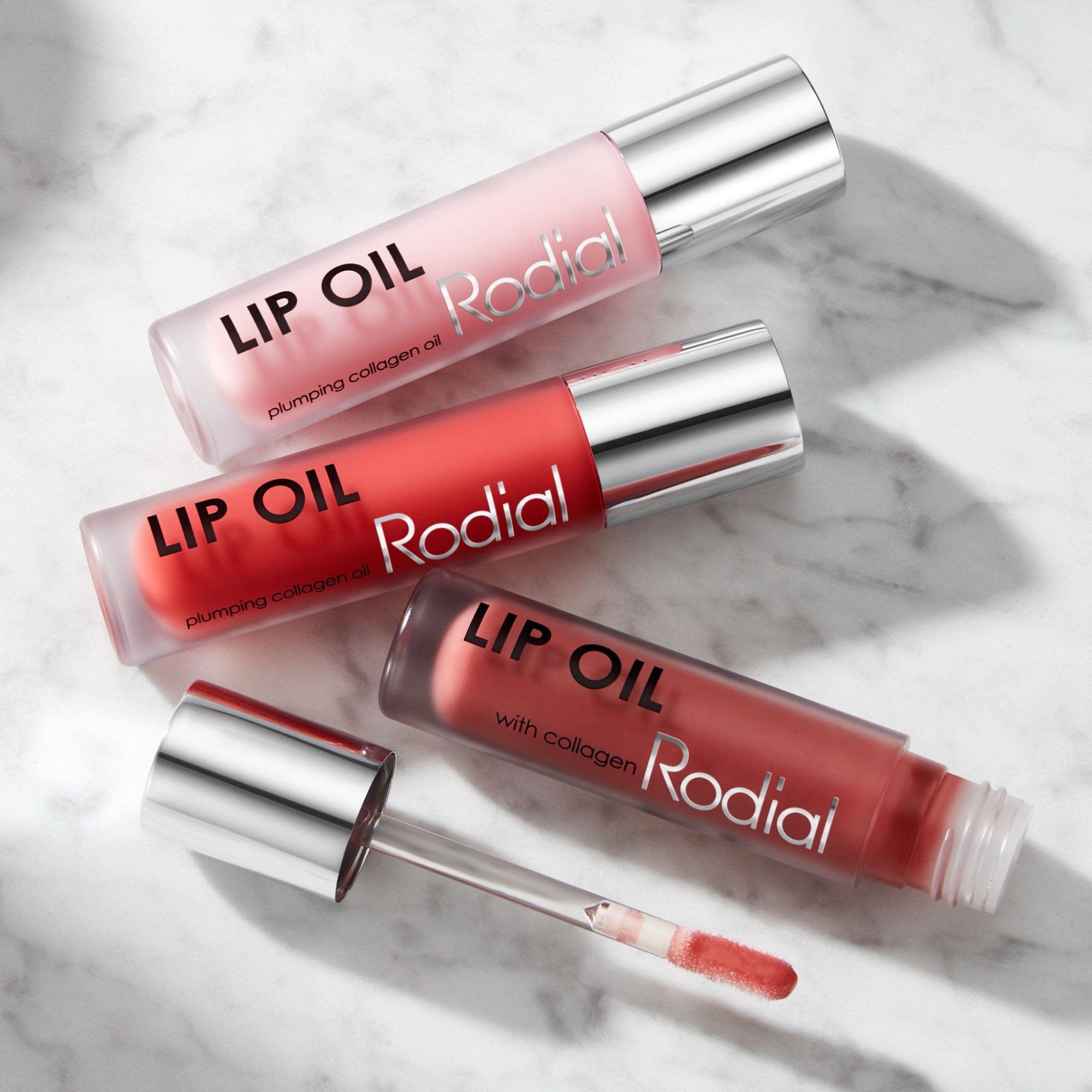
Shop. Earn. Unlock exclusive rewards.
It’s that simple.

Create
Sign up for a free and start collecting points! As a welcome gift, we'll credit you with 150 points!
Earn
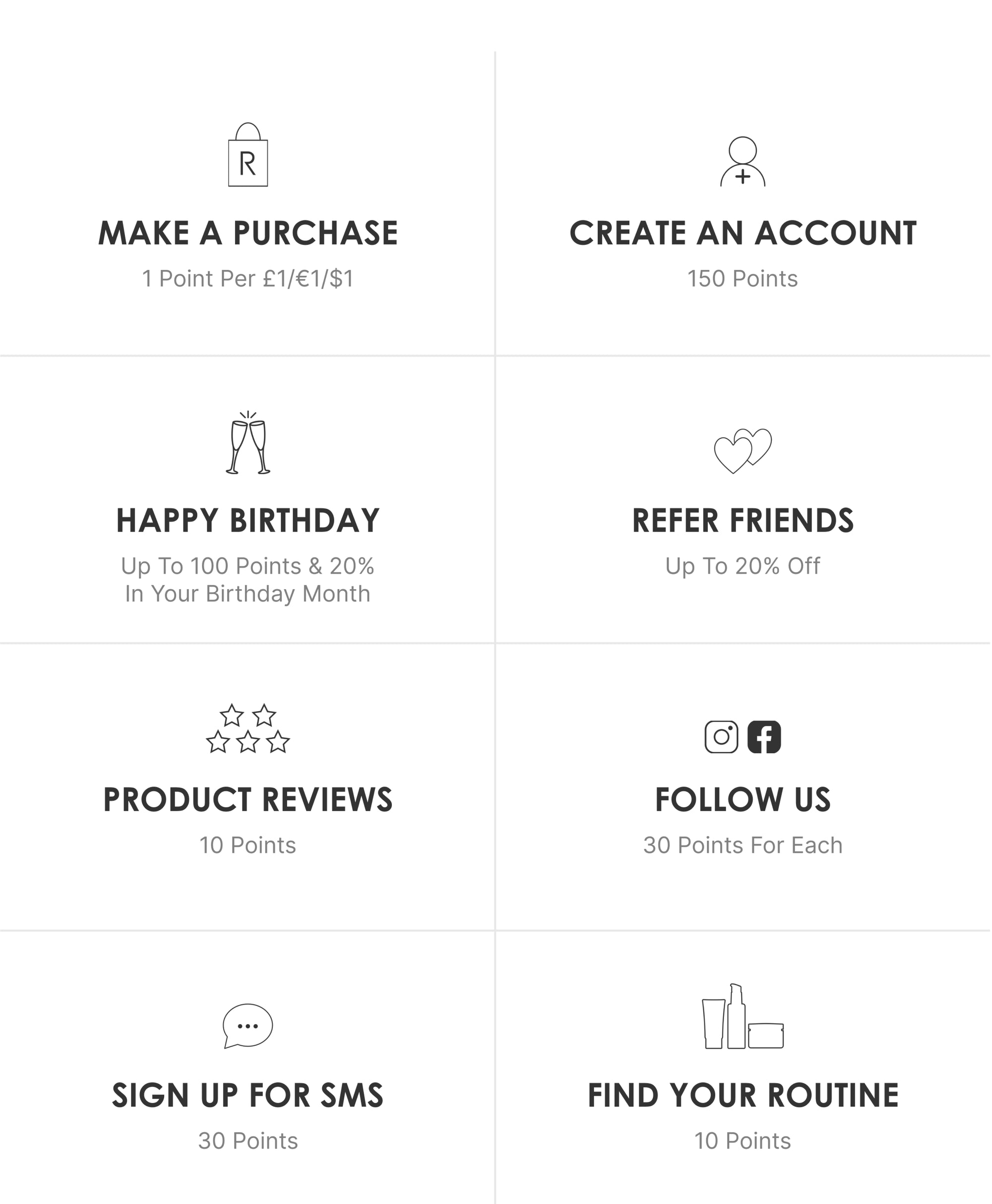
Earn points your way, with rewards for shopping, reviewing, referring, and more.
Redeem
Redeem your points in your account dashboard, money off your next purchase. £1/€1/$1 = 1 point
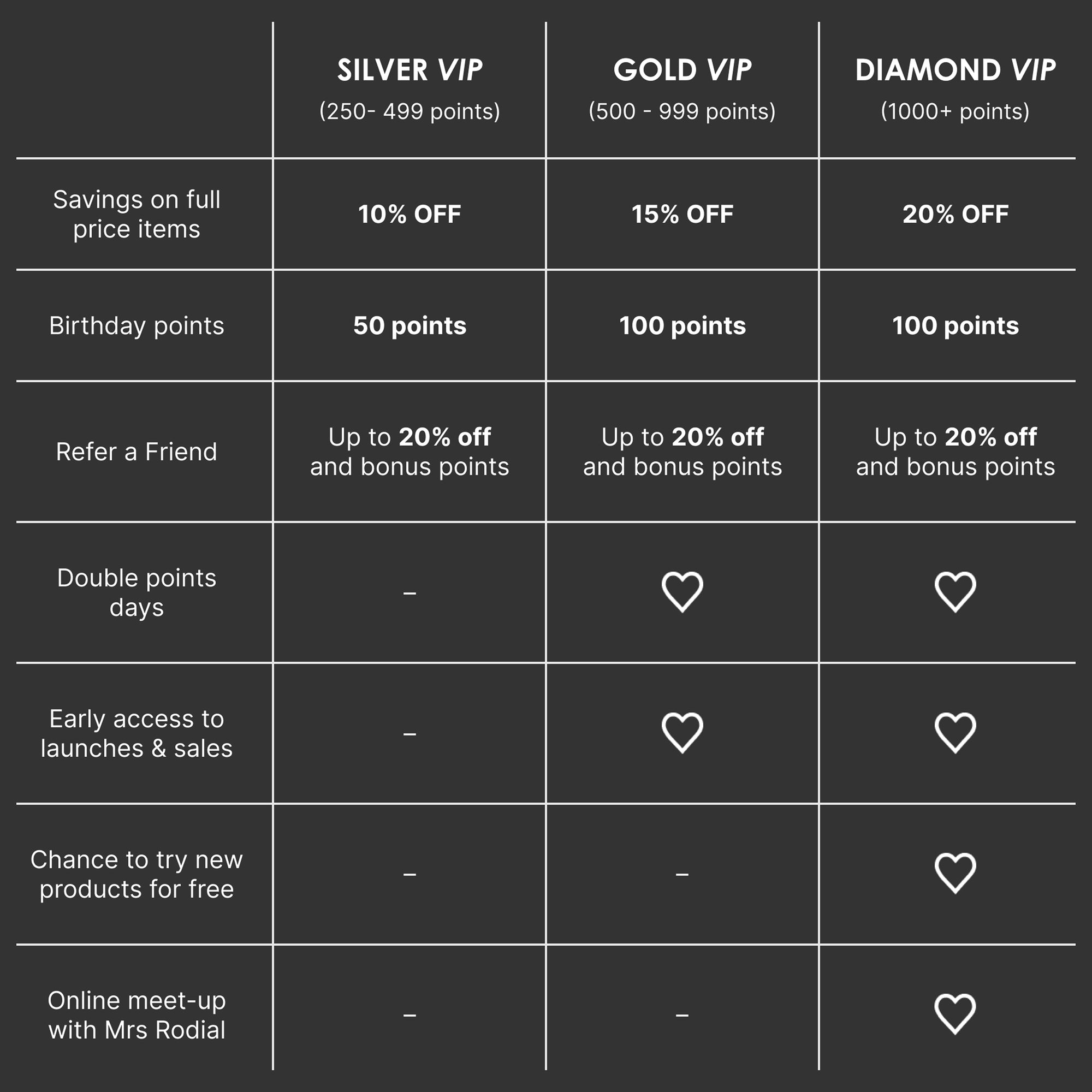
Rodial's VIP Tiers
Each tier unlocks new rewards — Benefits at every level.

Even more WAYS TO EARN
Want to earn more It’s easy — follow us on Instagram, leave a review, refer a friend, or shop during double points events. Small steps, big rewards.
FAQ
How do I join Rodial Rewards?
Joining Rodial Rewards is complimentary. Simply create a Rodial account and you'll begin earning points every time you shop, review products and engage with selected brand activities.
How do I earn points?
You'll earn points on every eligible purchase, as well as through selected actions such as creating an account, celebrating your birthday, referring friends and leaving product reviews. Log in to your Rewards Account to view all available ways to earn.
How do I redeem my points?
Once you've earned enough points, log in to your Rewards Account Dashboard and select the reward you'd like to unlock. Your reward will be issued as a voucher code, which can then be applied at checkout.
Are rewards applied automatically?
No. Rewards must be redeemed from your Rewards Account before they can be used. Once redeemed, you'll receive a voucher code to apply during checkout.
What rewards can I redeem?
Points can be redeemed for exclusive rewards including discount vouchers and selected complimentary products. Available rewards may vary and are subject to change.
Where can I view my points balance?
Your current points balance, reward history and available rewards can all be viewed within your Rewards Account when signed in.
Why can't I use my points at checkout?
Points cannot be spent directly at checkout. First, log in to your Rewards Account and redeem your points for a reward voucher. Once redeemed, simply apply the voucher code during checkout.
Why haven't my points appeared yet?
Rewards points are usually added to your account once your order has been processed. If you can't see your points yet, your purchase may have been made within the last 14 days, or the order may have been cancelled or returned and is therefore no longer eligible for rewards points.
If more than 14 days have passed since your purchase and your points balance has not updated, please contact our Customer Support team and we'll be happy to help.
What do the 'approved', 'pending' and 'cancelled' statuses mean?
Your reward points history will show a status for each activity.
Approved: These points can be redeemed on rewards.
Pending: These points must be verified before they can be redeemed. This typically applies to purchases, referrals or reviews. Points will be pending for 14 days after a purchase.
Cancelled: These points will not be added to your account. For example, if you cancel a purchase the points will change from pending to cancelled.
What happens if a friend I referred cancels or returns their order?
In this case, any pending points from the referral will be cancelled and removed from your balance. The points will be available 14 days after a successful order has been placed.
Why did my account balance go down?
It could be a number of things. Expired points, an order return, cancellation or a referral returned their order. You can check your reward points history for an explanation.
What happens if there is an issue with a product?
We are hoping that this will not be the case. However, if for any reason you have an issue with your product, your points will not be affected.
Do I get my spent points back if I return my order?
You can receive points placed on an order back to your account for successfully returned items, within our 14-day period. The points will be calculated for each product returned and will be processed back to your account once a refund has been processed.
How is my voucher discounted from my order?
The selected voucher is applied against each valid full price item within your order. This means that if an item from your order is returned for any reason the amount refunded will be less than the price of the product on the order confirmation, the voucher is deducted as a percentage of discount equally from each product. This is specific to each order. Our customer care team are happy to help with further questions.
What is a valid full price item?
Our discount codes are not valid on Kits, Sale items and Icon products, unless stated otherwise. For more information on how our discount codes work, please visit our Terms & Conditions
How do I leave the program?
You can leave at any time, just request at enquiries@rodial.co.uk. You’ll be unenrolled from the scheme, and you’ll lose all points earned. Please note your Rodial account will still be active. If you would like this cancelled too, please specify on your email request.
I have signed up for the newsletter but I have not got any points.
Unfortunately, signing up to our newsletter does not qualify you for the VIP Lounge. You will be required to create an account.
I have an account already but do not have any points.
If you have not signed on to your account for 12 months, you will not receive points for ‘Creating an account’